

When I want to look at "Cars for sale" if I try to go past the page 1, I get a fatal error. Parks' '47 is on page 2, I gotta get a weekly look at it! keith

I get the same thing Keith. Just for fun I tried logging into www.hetclub.org rather than just hetclub.org. Didn't work either way. Our friendly webmaster will soon enough jump right on the problem.
Hudsonly,
Alex B

Yep, I get it too. They just did a major upgrade of our Forum software from Kunena 3.08 to Kunena 4.0. Looks like this might be a bug or possibly a configuration change. I will have to submit comments to Kunena forum and see if there is a fix.
Aaron

Something has changed!! I can not even get the first page without getting the "500 Internal Error --- Fatal error" message . Yesterday I could get to the first page & only got the error message when attempting to get to page 2.

I'm seeing none of the categories at all displayed other than the top level ones. Had a look on the configuration page and can see nothing obvious Aaron so it'll be a good bug!
Update
I now see the Hudson Discussions and Classifieds etc. All I did was to unlock the Hudson discussion and all the others appeared 🙂 Possibly something that affected only me?
[quote="Paul Butler" post=11208]I'm seeing none of the categories at all displayed other than the top level ones. Had a look on the configuration page and can see nothing obvious Aaron so it'll be a good bug!
Update
I now see the Hudson Discussions and Classifieds etc. All I did was to unlock the Hudson discussion and all the others appeared 🙂 Possibly something that affected only me?
Also what I see is if I use the back arrow then there appears to be random behaviour as well 🙂 I went into the classifieds and got the Server 500 error on page 2. Used the back arrow and found that all I had displayed was the Hudson discussions. Clicked on "Forum" and everything came back. Tried to select your entry in the Classifieds Aaron and got a Server 500 straightaway!
Clicked back and all I got displayed again was the Hudson discussions , selected Forum and all came back.
I suspect a parameter change somewhere!
I found a fix for the problem and have applied it. It seems to be working now. Let me know if anyone finds any other issues. The Kunena community is sustained on folks like us providing valuable feedback into their efforts.
The problem appeared to be issues with ebay links. So the pages that did not work were getting hung up on some code that allows us to insert eBay listings into our posts. So you can see why the Cars for Sale category was the main one affected.
Aaron
All better now. I got my fix! Thanks...k
Hello.
I have tried to attach a photo to a forum message and I get this message.
"500 Internal Server Error
Fatal Error was detected!"
Am I doing this wrong?
I am trying to attach a very small .jpg file. I also tried a .png file.
Thank you,
Jason
Hello.
I have tried to attach a photo to a forum message and I get this message.
"500 Internal Server Error
Fatal Error was detected!"
Am I doing this wrong?
I am trying to attach a very small .jpg file. I also tried a .png file.
Thank you,
Jason
Yep, looks like we have more problems.
Test picture
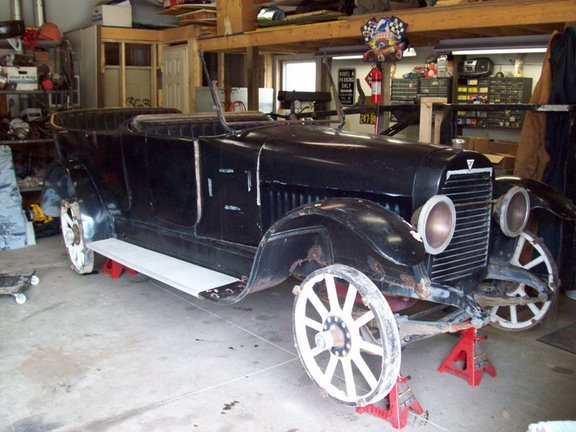
Ok, it looks like it is fixed now.
Paul, holy cow. I had to load a new Apache server module and recompile the server to get this working. Worth it as long as it works.
Aaron
Aaron,
Man that is one heck of a sea change then! I'll do some more unit testing on everything else as well but we can rely on the good folks here to let us know where they find any issues of course 🙂
I held back on the shop upgrade this weekend as well; didn't want to confuse matters
Thank you.
It is working now.
